UWP Simple PDF viewer
This article is more than two years old. Some details may have changed, so check the current documentation before applying them.
Some months ago, I blogged about how to display PDF files in your UWP app: Displaying PDF files in a UWP app
When I look at the stats of my blog, I notice that that particular blogpost gets a lot of visitors. Also, I regularly get mails from people having questions about displaying PDF files in a UWP app.
So, I figured out that this is something a lot of developers seem to need or want to use. And that’s why I thought I’d make a custom control for this exact purpose.
You can find the control, together with the source code, on my GitHub: SimplePdfViewer
Usage:
Example usage
<Grid Background="{ThemeResource ApplicationPageBackgroundThemeBrush}">
    <Grid.ColumnDefinitions>
        <ColumnDefinition Width="250" />
        <ColumnDefinition Width="*" />
    </Grid.ColumnDefinitions>
    <StackPanel>
        <Button Content="Local PDF" Tapped="{x:Bind OpenLocal}" />
        <Button Content="Remote PDF" Tapped="{x:Bind OpenRemote}" />
    </StackPanel>
    <controls:SimplePdfViewerControl Grid.Column="1"
        Source="{x:Bind Source, Mode=OneWay}"
        AutoLoad="True"
        IsZoomEnabled="true"
        VerticalAlignment="Stretch"
        HorizontalAlignment="Stretch"
        />
</Grid>
Result:
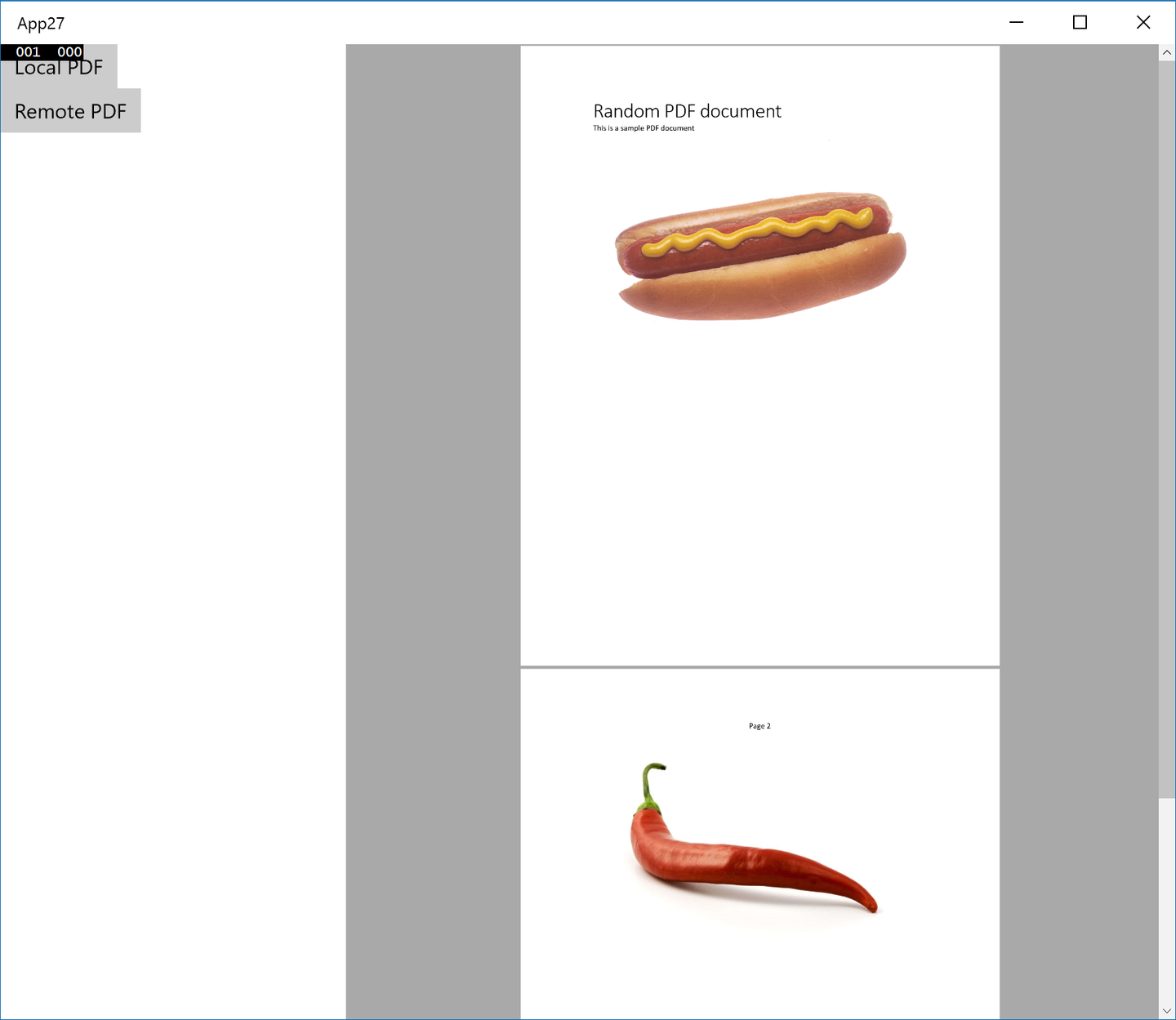
If you have any suggestions for this control, please let me know! I’ll try to gradually keep on improving this control.
Join the discussion